Install Roughly Right as an app in Google Chrome
- Open Google Chrome.
- Go to the Roughly Right website.
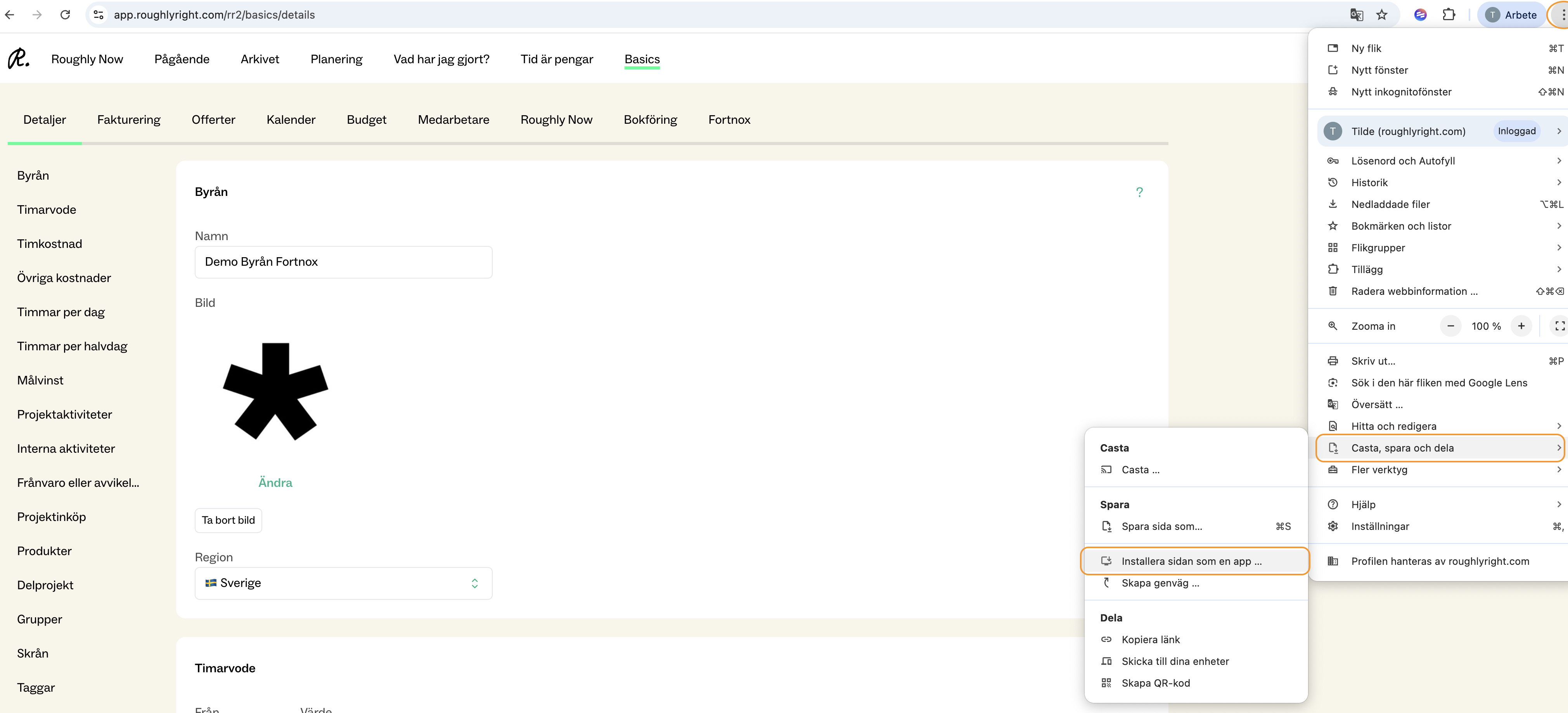
- Click the menu icon (three dots) in the top-right corner of the browser.
- Select “Cast, save and share”
- Click “Install page as app”
Once completed, Roughly Right will appear as an app on your computer (for example, in your app launcher or desktop, depending on your settings).