← Go back

Link Purchases and Recognize Revenue

At the end of the month, we need to determine how much of the budget should be recognized in that month, i.e., how much revenue we should take.

This depends on several factors:

  • How far along is the project? (How much time has been spent and how far the project has progressed)
  • How much purchasing has been completed
  • How much of the budget remains to be recognized in the project

The Project revenue - Project costs represents the Agency revenue. Agency revenue is the same as the project’s gross profit and is the contribution the project makes to the company’s profit.

A guideline for how much this should be is the value of hours spent during the period, but other factors may also play a role. For example, how much budget remains to be recognized.


Manage Time

Revenue is recognized in the Ongoing list or within the project in the box called Allocate.

In the example below, a revenue of 50,000 has been recognized, which can be compared with a worked value of 30,000. Here, I first need to decide whether this is reasonable or if I want to reduce the revenue to 30,000. So far, no purchases have been recorded.
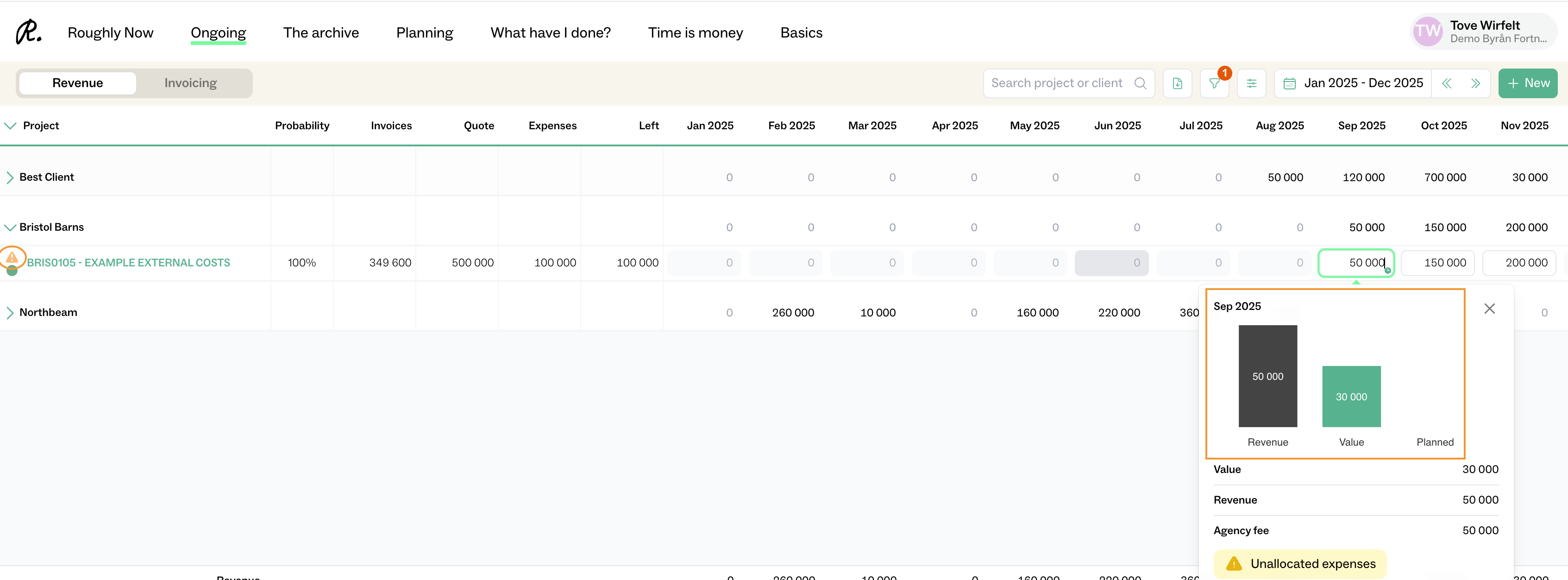
In this case, there is also a purchase to handle, which is why a yellow warning box appears in Ongoing. Click on the project to take a closer look.


Link and Manage Purchases

Go to the project home and scroll to the bottum of the page on Overview.
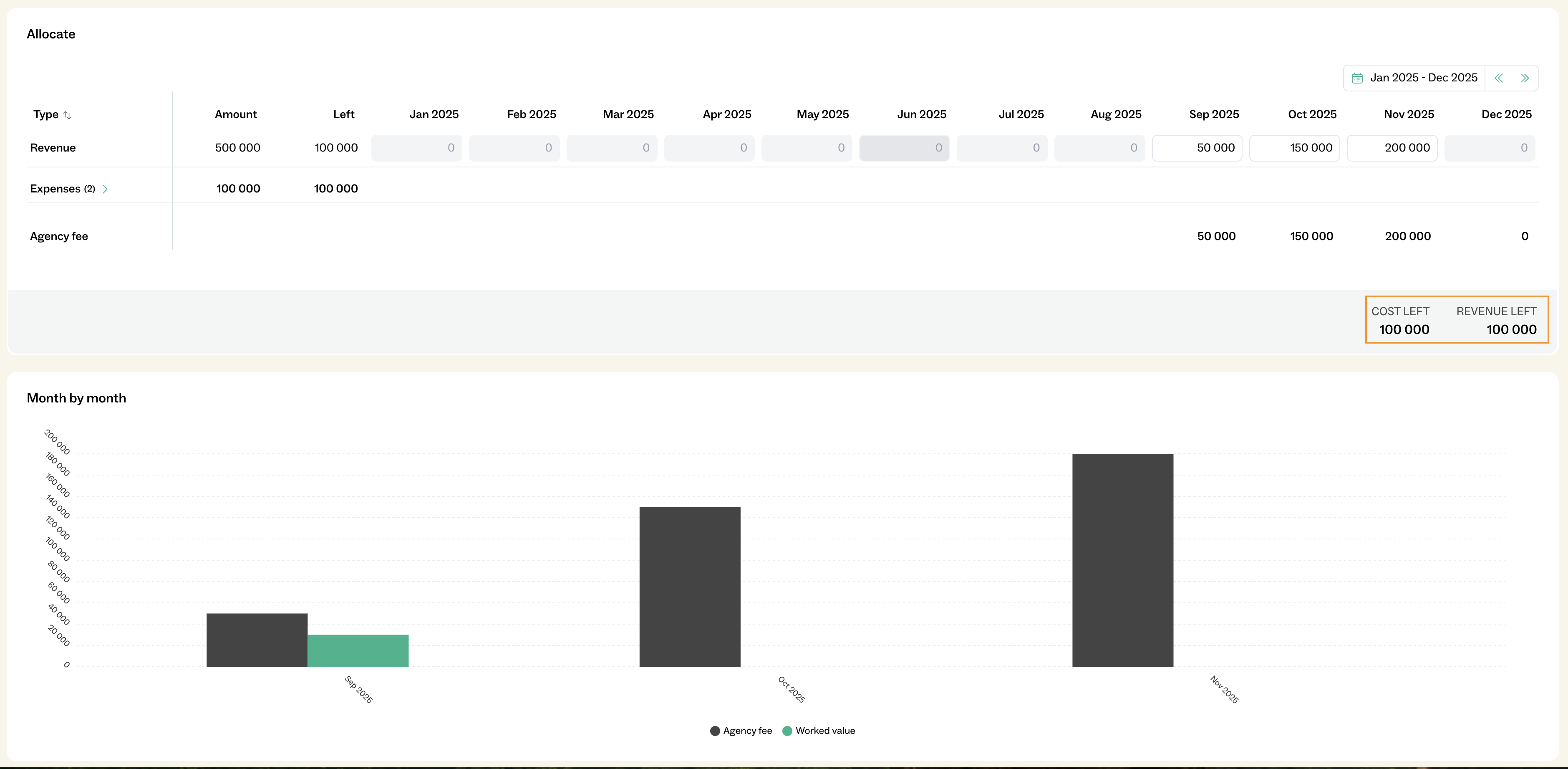
In this view, I see that there are two budget items that have not yet been received and recognized against the budget.

  • Total: 100,000 remaining in upcoming costs
  • 150,000 in revenue remaining to periodize

Therefore look under Expenses:

In this section, I see that a supplier invoice from Fortnox has arrived and now needs to be handled and matched against my budget.
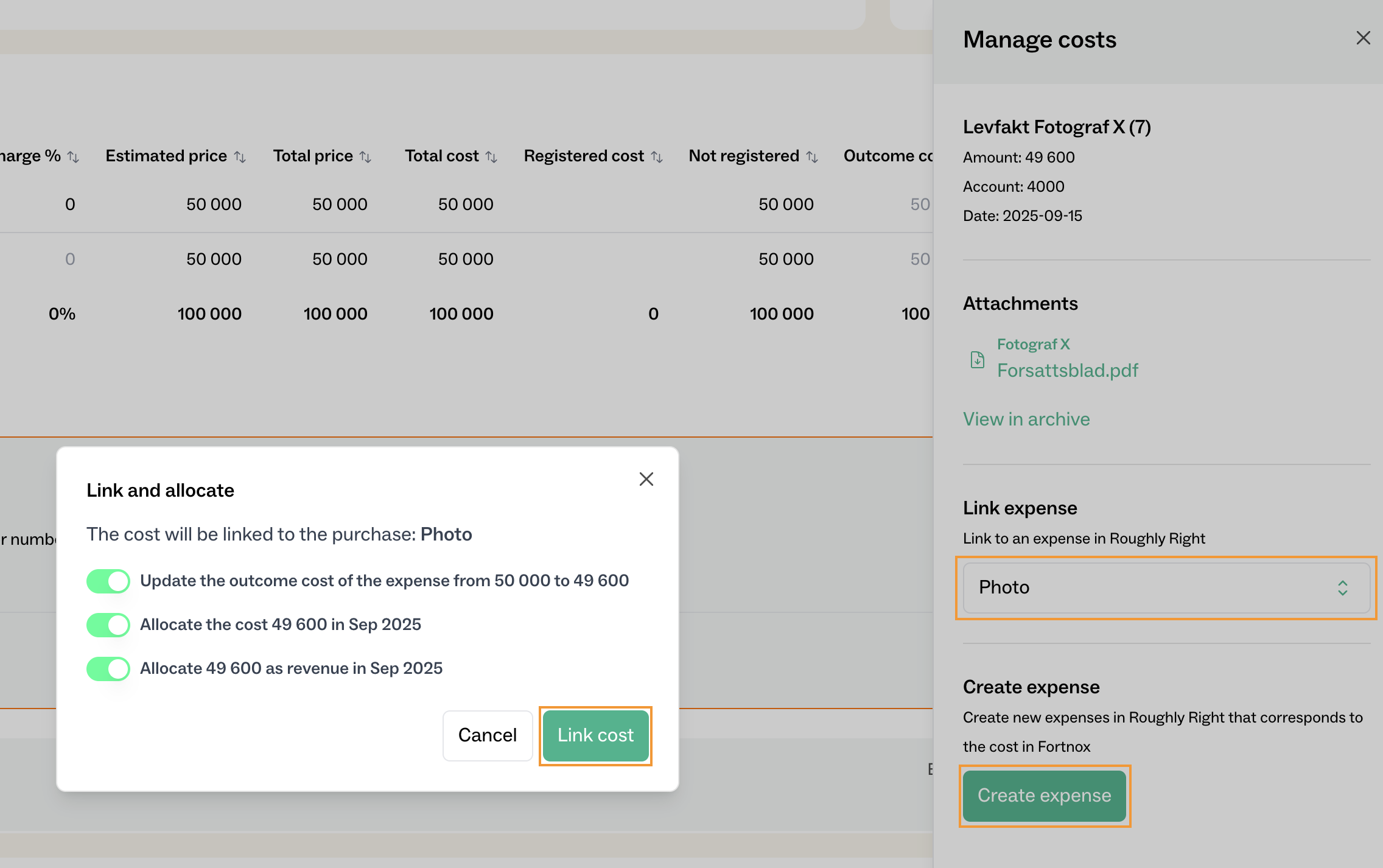
  • By clicking the checkbox on the left, I select one or more items and then click “Manage”.
  • In this view, I choose which budget item the purchase should be linked to. In this case, it should be linked to the photographer.

Considerations When Linking

Once the link is made, there are three things to consider:
  1. Should Roughly Right set the invoice cost as the final outcome for this budget item?
    • If this is the only cost for the budget item, it should be ON/GREEN.
  2. Should Roughly Right place this cost in the same month as it is posted?
    • Usually, the answer is YES, because we want to follow the bookkeeping on the cost side whenever possible.
    • In that case, it should be ON/GREEN.
  3. Should Roughly Right also post revenue in the same month to match the cost?
    • In this case, the answer is YES, because there was REVENUE LEFT TO PERIODIZE.
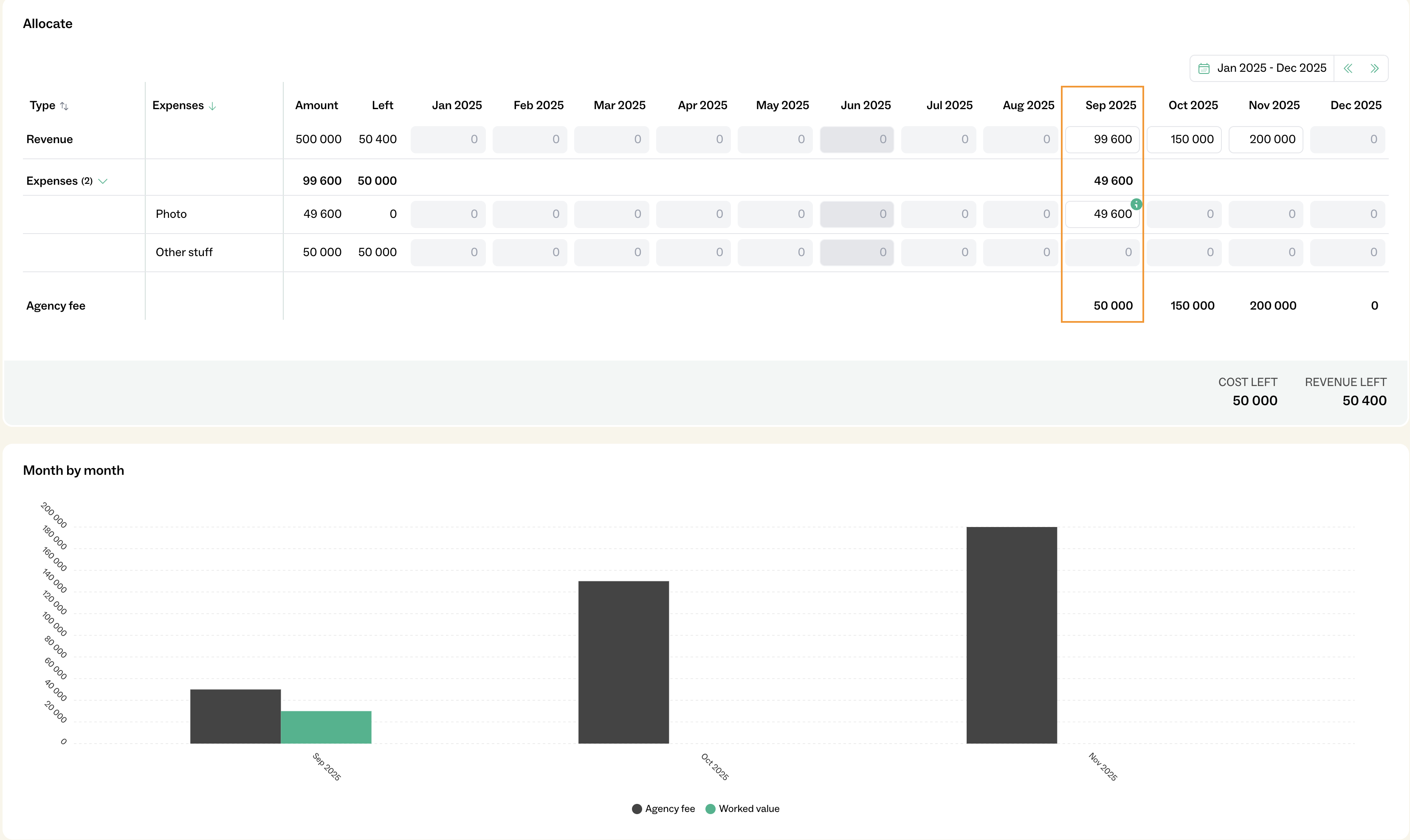
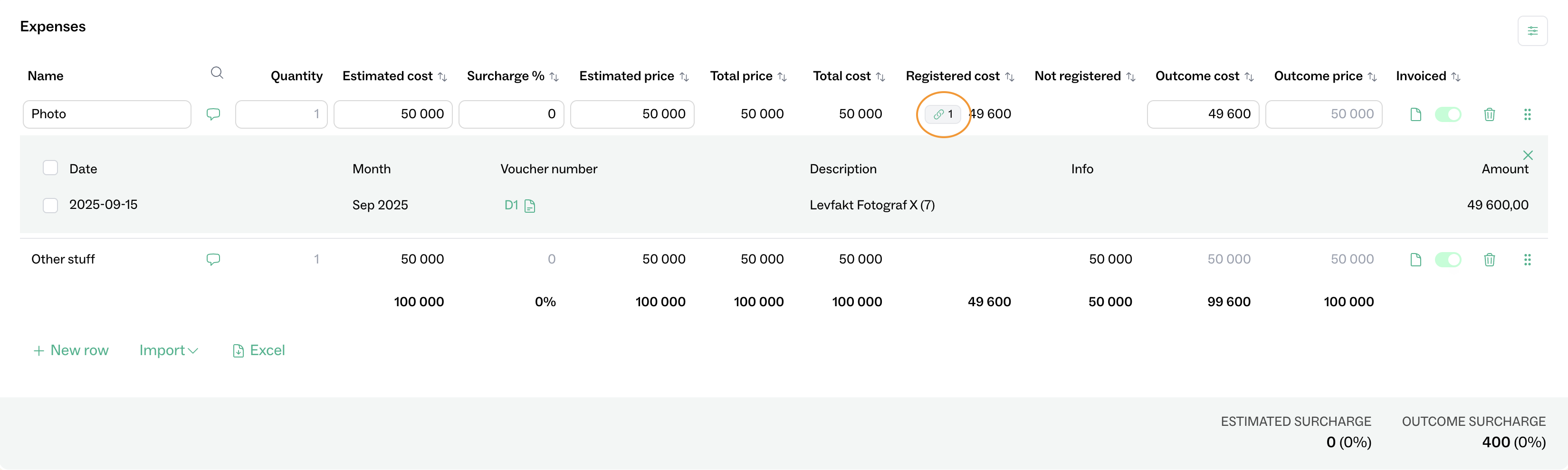
    • By linking this way, Roughly Right will add revenue to the same month as the cost, so the agency revenue continues to total 50,000.

The outcome for the “Photo” row is also updated to match the same cost as the invoice.

Verification of Accruals and Purchases

  1. Verify that the accruals are correct
    • Navigate to Time is Money → Project Insights.
    • Ensure that revenues and costs are accrued in the correct period.
  2. Reconcile expenses
    • Navigate to Time is Money → Control expenses.
    • Confirm that all purchases have been properly reconciled and recorded.

Last update:
February 18, 2026
