Add Roughly Right as an app (Mac users)
In Google Chrome:
- Open Google Chrome.
- Go to the Roughly Right website.
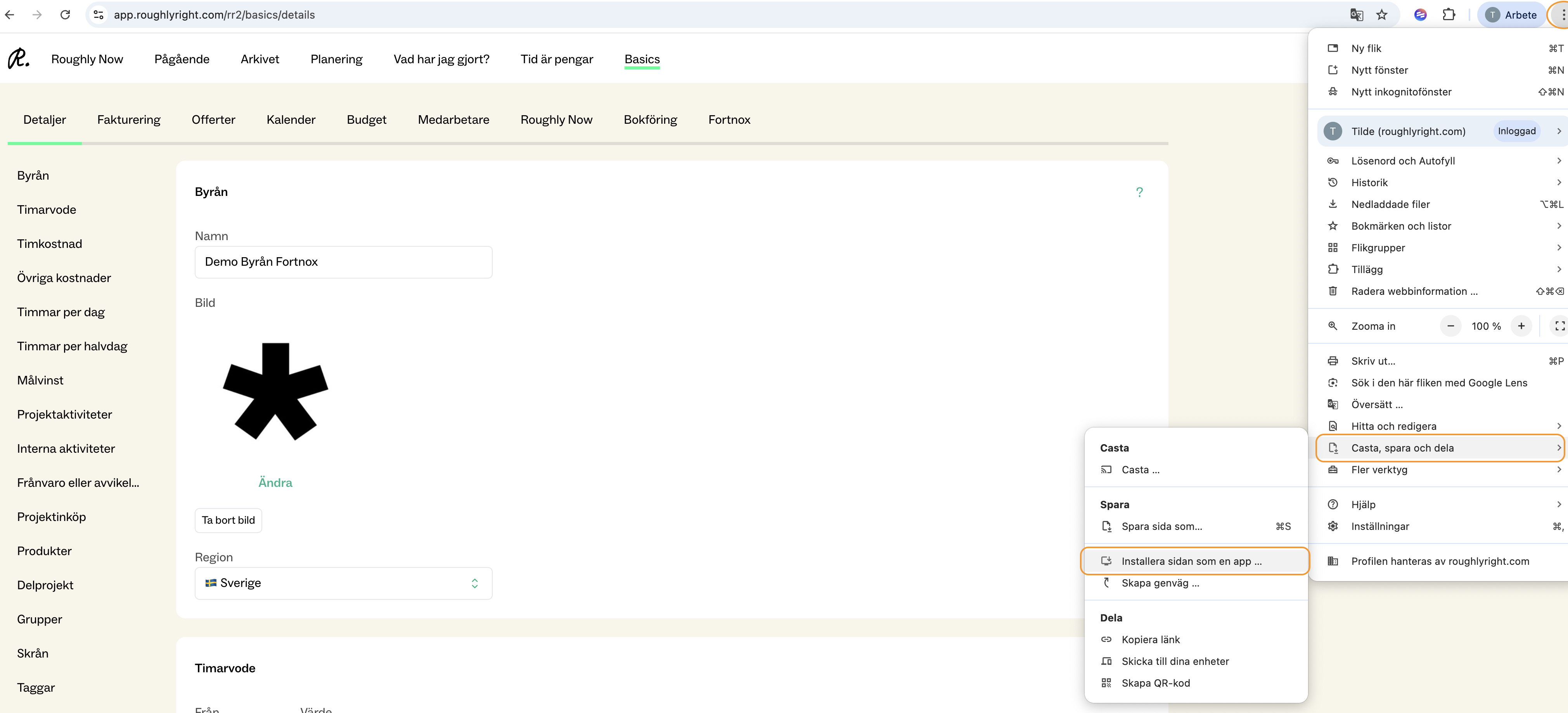
- Click the menu icon (three dots) in the top-right corner of the browser.
- Select “Cast, save and share”
- Click “Install page as app”
Once completed, Roughly Right will appear as an app on your computer (for example, in your app launcher or desktop, depending on your settings).
In Safari:
To add Roughly Right to your Dock,
- Open Safari
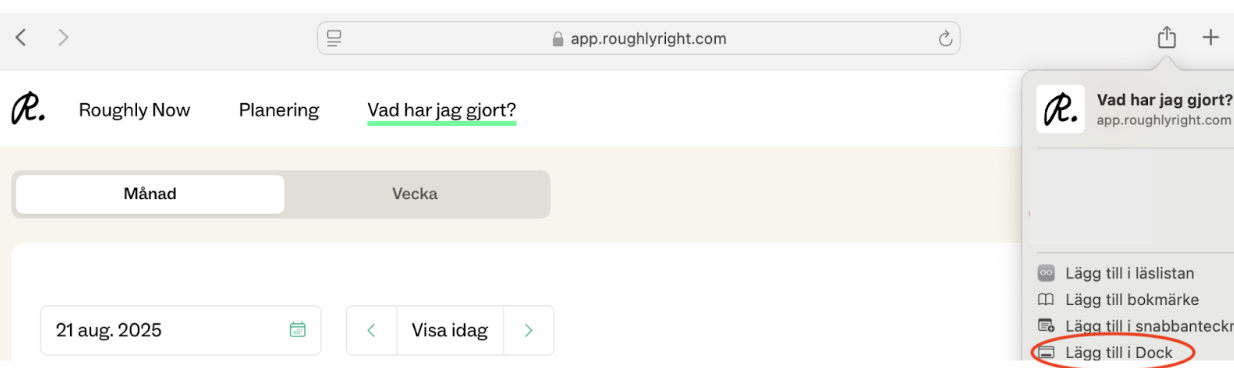
- Click on the Share icon next to the web address
- Click “Add to Dock” from the list of options
Roughly Right will now be displayed as an app in you Dock.